




 Click it and Unblock the Notifications


Latest Updates
-
 Dussehra 2026: The Difference Between Vijayadashami And Ravana Dahan
 -
 Veteran Musician Deva Dies At 75: Life And Legacy Of Thenisai Thendral
 -
 Navratri Fasting Diet: How To Stay Energised And Full Through The Day
 -
 Kavya Maran Wedding In Greece? Date, Venue, and What Is Confirmed
 -
 Navratri Fasting 101: What To Eat, What To Skip, And How To Avoid Acidity And Headaches
 -
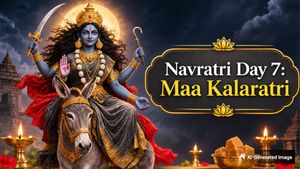 Navratri Day 7: Maa Kalaratri Puja, Colour, Rituals And Significance
 -
 Office To Dandiya Nights: One Quick-Change Outfit Formula For Navratri 2026
 -
 As ‘Ranabaali’ Hits Theatres, A Look At Rashmika Mandanna’s ₹1.31 Lakh Ivory Saree For Pre-Release Promotions
 -
 Durga Puja Pandals Mumbai 2026: 7 Stunning Celebrations To Explore From Matunga To Juhu
 -
 World Spine Day 2026: Is Your Phone Habit Causing Neck Pain? What To Know About Tech Neck


Celebrate Republic Day 2024 In Style: 6 Makeup Tips For A Chic Look

As India gears up to celebrate its 75th Republic Day, it's the perfect time to showcase your patriotic spirit with a touch of glamour.
Whether you're attending a flag hoisting ceremony, a patriotic parade, or a festive gathering in your community; you can complement your chosen attire and enhance your features with the right makeup!

Here are six makeup tips to help you look effortlessly chic and in harmony with the vibrant colours of the Indian flag.
Tri-Color Eyes
Channel the spirit of the Indian flag by incorporating the tri-colour shades into your eye makeup. Use eyeshadows in saffron, white, and green shades to form a gradient effect on your eyelids. Blend the colours seamlessly for a mesmerizing look that reflects the essence of Republic Day. Use eyeliner and mascara to complete the exciting eye makeup.
Subtle Tricolour Lips
Add a subtle yet vibrant touch to your makeup by opting for tricolour lips. Select a lip colour lipstick in shades of orange, white, and green to create an ombre effect. Blend the colours gently, starting with the lightest shade in the centre and gradually darkening towards the outer edges. This creative lip look is sure to make a patriotic statement.
Ensure to keep the rest of the makeup subtle to let the vibrant lip colours take centre stage.

Bold Brows and Lashes
Enhance your facial features by defining the eyebrows and lashes. Bold eyebrows frame your face and give it a polished appearance. Use an eyebrow pencil or powder to shape and fill in your eyebrows. You can opt for the statement eyes makeup with darker eyeshadow and kohl. Complete the look with voluminous mascara to make your eyes pop, to add a touch of drama to your Republic Day makeup.
Dewy, Glowing Skin
Achieve a glowy and dewy complexion to complement your festive or occasional makeup. Begin by applying a hydrating primer, followed by a luminous foundation or BB cream. Highlight the high points of your face, such as the cheekbones, nose bridge, and Cupid's bow to get the natural, lit-from-within glow. A radiant complexion will make you appear fresh and glorious throughout the Republic Day celebrations.
Patriotic Nail Art
Vibrant nail art is a must-have for many, especially for occasional purposes. Extend the Republic Day theme to your fingertips with patriotic nail art. Experiment with nail enamels in orange, white, and green shades or add tiny tricolour flags or symbols for a more detailed look. Your nails can be a subtle yet stylish feature of this patriotic occasion!
Traditional Attire Inspiration
Always consider your outfit while planning your makeup. If you're donning traditional Indian attire, choose makeup shades that complement the colours of your outfit. Harmonize the makeup with your clothing to create a cohesive and put-together appearance.
This Republic Day, showcase your love for the country with a makeup look which defines the vibrant and diverse that India is! With these simple to-create makeup hacks, you can showcase your patriotic spirit but also ensure that you stand out in the crowd with a flawless and stylish avatar. Go ahead and celebrate the colours of freedom and unity with grace and confidence. Jai Hind!
Images: Instagram

 Continue with Google

