




 Click it and Unblock the Notifications


Latest Updates
-
 Anushka Sharma Wears ₹10,900 Pink Anarkali Suit At Krishna Das’s Mumbai Kirtan, Virat Kohli Keeps It Casual
 -
 Bigg Boss 20: Kaashvi Says “Not My Place to Tell Her Anything” After Love Gill Row
 -
 Diwali 2026 Skincare: Ayurveda Expert Explains How To Prepare Your Skin For The Festive Glow
 -
 Kartik Maas 2026: Festival Calendar From Karwa Chauth to Dev Diwali
 -
 Karwa Chauth 2026: Can You Fast While On Medication? A Doctor Explains Who Should Avoid Strict Fasting
 -
 Hunter’s Moon On October 26: Astrologer Ashutosh Clairvoyant Warns Against Resigning Or Breaking Up On Impulse
 -
 Gallstones, Hernias and Appendicitis: When Can Surgery Wait and When Is Delay Dangerous?
 -
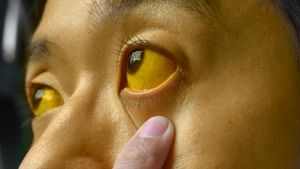 Jaundice in Adults: Doctor Explains When a Bile Duct May Be Blocked
 -
 November 2026 Bank Holidays: Check The Complete List Of Important Dates And Regional Closures
 -
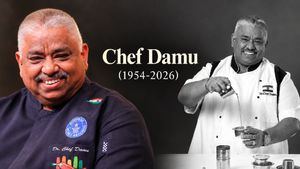 ‘Cooku With Comali’ Judge Chef Damu Passes Away At 72, Padma Shri Awardee And Guinness World Record Holder


Sarvam AI Beats Gemini, ChatGPT in Indian Language OCR and Speech Tasks

In a proud moment for India's AI space, Bengaluru-based startup Sarvam AI has taken on global giants, and won where it matters most for Indian users. Its new tools, Sarvam Vision (for reading documents) and Bulbul V3 (for text-to-speech), have outperformed Google Gemini and ChatGPT in handling Indian languages and tricky real-world documents.
What Is Sarvam AI?

Sarvam AI is an Indian artificial intelligence startup focused on building generative AI models that understand India's linguistic diversity and contextual nuances. The company was founded in August 2023 by Dr Vivek Raghavan and Dr Pratyush Kumar, both veteran AI researchers with experience in building systems for Indian language processing.
Right from the beginning, Sarvam has had a single intention: to build tools that work for the multilingual context of India, from OCRs reading complex forms and scripts to voice models that speak naturally across regional languages.
Our sovereign model strategy is delivering results.
— Ashwini Vaishnaw (@AshwiniVaishnaw) February 8, 2026
Even the most critical reviewers are praising the technologically advanced model released by Sarvam as a part of our AI mission.
In parallel, our smart young engineers are working on innovations in materials science,… https://t.co/PA8zR4xq9d
In his post, Union Minister for Electronics and IT, Ashwini Vaishnaw, noted that even critical reviewers are now praising Sarvam's technologically advanced models, adding that India's young engineers are working on innovations that will be noticed by the world as pathbreaking models.
Sarvam Vision: Redefining OCR for Indian Languages
At the heart of Sarvam's recent success is Sarvam Vision, a vision-language model engineered to handle difficult real-world document tasks, things like poorly scanned pages, handwritten notes, complex tables and mixed scripts that many generic AI systems struggle with.
In benchmark tests:
- Sarvam Vision obtained an accuracy of 84.3 % in olmOCR-Bench, which outperformed Gemini 3 Pro and other well-known OCR systems.
- It also scored 93.28 % in OmniDocBench v1.5, being able to read and understand real-world documents with aplomb.
- These results are particularly noteworthy, as global models often focus on broad multilingual capability but falter with messy or varied script layouts-a common scenario in Indian paperwork.
Bulbul V3: A Natural Voice for Indian Languages
Alongside Sarvam Vision, the startup's Bulbul V3 Text-to-Speech model is making waves. Introduced in early February 2026, the model produces high-quality speech, complete with tone and regional variations, in multiple Indian languages. It currently offers over 35 high-quality voices, with further intents to support all 22 Indian scheduled languages.
Why This Win Matters
While global giants, such as Google Gemini and ChatGPT continue to be the leaders in general-purpose AI systems, Sarvam's achievement brings to mind an important fact: while developing an AI system requires a deep knowledge of local languages to make it better than the biggest global players for local issues.
This has implications beyond the issue of prestige. In addition, improved OCR and voice technologies can greatly facilitate access to digital technologies for governance, banking, education, etc., particularly in a linguistically diverse India.

 Continue with Google

