




 Click it and Unblock the Notifications


Latest Updates
-
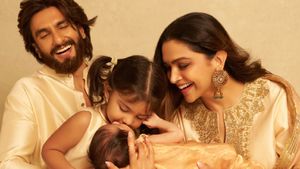 Deepika Padukone And Ranveer Singh Announce Second Daughter’s Name On Dussehra, Share Family Photo
 -
 Who Was Karthik Sabesh? Tamil Actor Passes Away At 37, Days After Uncle And Composer Deva’s Death
 -
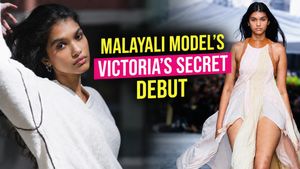 Who Is Ravleen Varghese? Meet The First Malayali Model To Walk The Victoria’s Secret Runway
 -
 World Osteoporosis Day 2026: A Minor Fall, A Major Fracture — Doctor On Why Older Adults Should Be Careful
 -
 Durga Visarjan 2026: October 20 or 21? Know Shubh Muhurat, Rituals And Significance
 -
 Happy Dussehra 2026: 50+ Wishes, Messages And Greetings To Share With Family And Friends
 -
 Dussehra 2026: Astrologer Ashutosh Clairvoyant On Colours, Offerings And Puja Rituals For Each Zodiac Sign
 -
 Hustle Culture Has a Bedroom Problem No One Talks About, Expert Explains
 -
 Iris Young Minds Initiative: How A Noida CSR Programme Is Opening Up Talk On Student Stress
 -
 Lal Hit Janta Party Explained: Who Is Behind The Rival to the Cockroach Janta Party


Sanjana Sanghi Nails The Two-Toned Eye Makeup Trend With Soothing Pastel Colours; Step-By-Step Guide Inside!


The two-toned eye makeup has been the most loved and top makeup trend ever since it entered the beauty world. And why not, after all, two shades are better than one as it doubles the fun and sizzling factor. Celebrities have been nailing the trend even today. However, to elevate their look, they keep on experimenting with it by adding an interesting quotient, sometimes with lovely eye shadow shades or with dramatic designs with eyeliners. Talking about lovely eye shadow shades, well, we all know, pastel colours have quite been on everyone's favourite list this year. We have seen many actresses playing with eye-soothing hues and mesmerising us with their gorgeous looks. But the way Sanjana Sanghi aced it, is something we haven't seen yet and we're totally impressed.

For her latest photoshoot, the Dil Bechara actress went on to mix both the trends - the two-toned eye makeup with pastel colours and the results were absolutely flawless. She opted for two popular pastel tones - green and lavender and rocked the candy eye makeup look. We loved this eye makeup look of hers and if you also did, here's a step-by-step guide to recreate the similar look.
What you need
• Primer
• Foundation
• Concealer
• Setting powder
• Contour
• Blush
• Highlighter
• Lavender eye shadow
• Pastel green eye shadow
• Fluffy eye shadow brush
• Small fluffy eye shadow brush
• Mascara
• Eyebrow pencil
• Pink lipstick
• Blush brush
• Beauty blender
• Contour brush
• Setting spray
Steps to follow
• Prime the T-zone of your face.
• Apply the foundation on your face and neck. Use a damp beauty blender to blend it in.
• Apply the concealer all over your lids and under your eyes and blend it in using the same damp beauty blender.
• Immediately set the concealer in place using the setting powder.
• Softly contour your cheekbones and nose, using a contour brush.
• Blush up the apple of your cheeks.
• Moving to the eyes, take some lavender eye shadow on the fluffy eye shadow brush. Starting from the inner corner of your eyes to the middle part of your lids, apply the eye shadow all over and blend it well to get the smooth intensity.
• Drag the same eye shadow to your lower lash line as well.
• Now, take sea green eye shadow on the fluffy eye shadow brush and start applying it from the middle part lids to the outer corner of your eyes. Exaggerate the eye shadow to give a smokey effect.
• Fill and define your brows, using an eyebrow pencil.
• Apply a nice coat of mascara on your upper and lower eye lashes.
• Now, apply the highlighter on the high points of your face - your cheekbones, the tip and the bridge of your nose, and your cupid's bow.
• Finish off the look by applying pink lipstick.
• Set your make-up in place by spritzing some setting spray on your face.
So, what do you think about this makeup look of Sanjana Sanghi? Let us know that in the comment section.
Pic Credits: Sanjana Sanghi's Instagram

 Continue with Google

